|
Return to Home Page
Enabling Pop-Up Windows
If you are experiencing problems with opening new pop-up windows within the HAZMAT®.NET application, follow the steps
outlined below to enable pop-up windows specifically for HAZMAT®.NET.
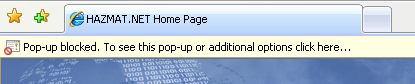 If you receive the message displayed above, follow these steps:
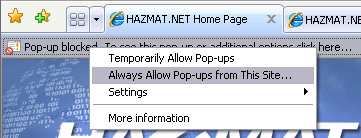 After selecting this option, an alert message box will appear to confirm your selection.
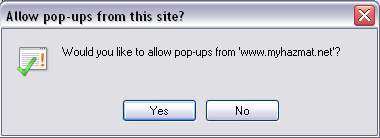 Select the Yes option to allow HAZMAT®.NET to open new windows through the Web browser.
Return to top
Select the Yes option to allow HAZMAT®.NET to open new windows through the Web browser.
Return to top
|